part 1: product design system
SHADCN FOUNDATION LIBRARY
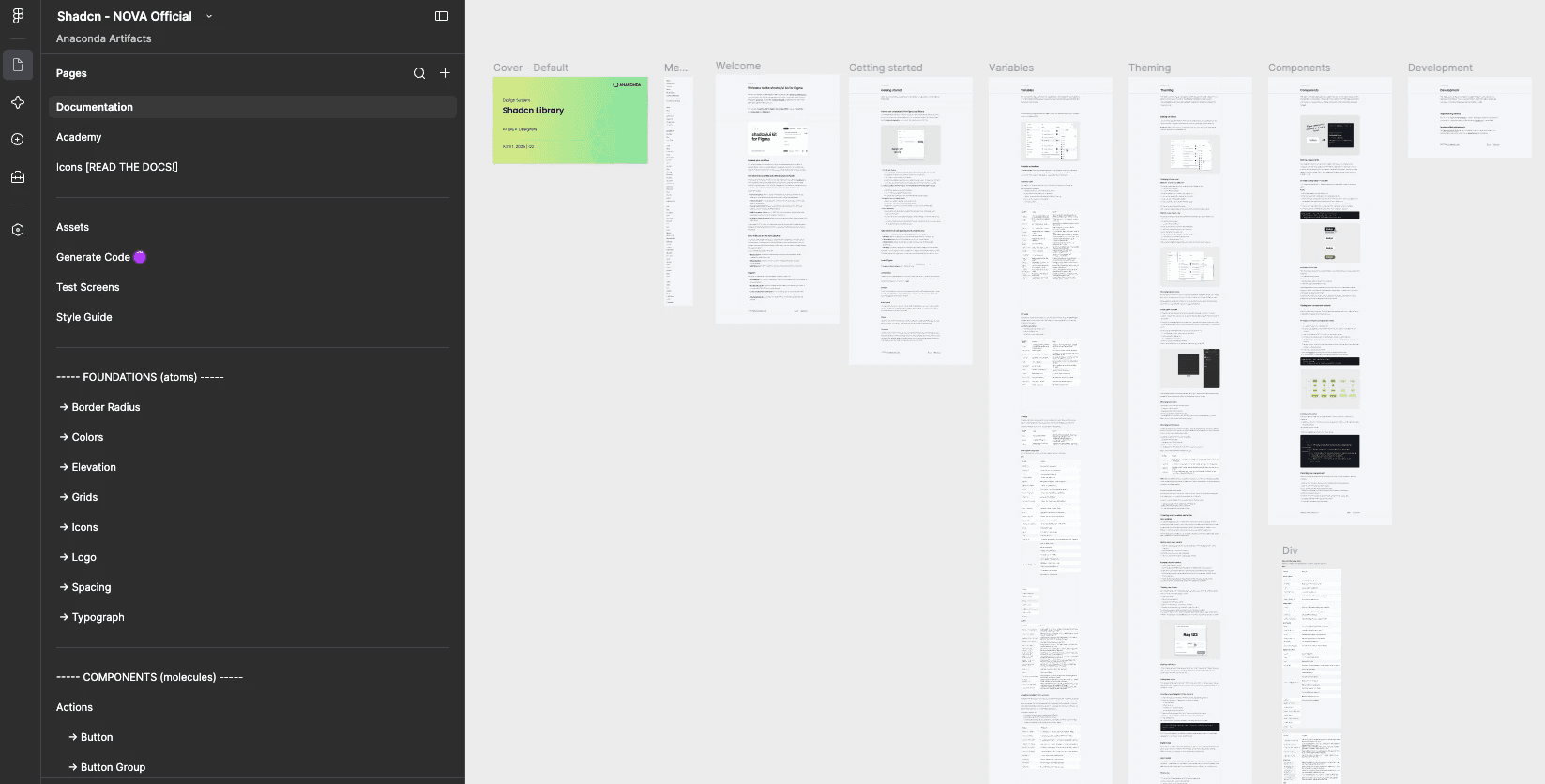
overview
Anaconda's acquisition of Outerbounds forced a move to Svelte — which the legacy design system, Kendo, didn't support — and had never worked well with for AI-assisted design anyway. After deciding on ShadCN library, I became the main owner and leader of the foundational library and pattern library … all mid-merger, with the product's direction still unsettled.
Role
Senior UX Designer:
Owner of foundation and pattern library
product
Design System: all products
collaborators
Project manager, 1 designer (pattern library), 2 designers + 2 engineers (foundations)
timeline
3 months
constraints
Mid-acquisition chaos, stakeholder friction, technical constraints of the
the problem
Anaconda's designers and engineers needed a system that supported Svelte and worked well with AI-assisted tools; Kendo did neither, leaving every team without a usable foundation right as the Outerbounds acquisition demanded a fast, unified platform.
Business Need
Anaconda needed a design system built for Svelte — the framework the new acquisition ran on — and better suited to AI-assisted workflows, boosting design/dev velocity while giving users one trustworthy identity instead of a stitched-together one.
User Need
Designers and developers alike needed a single, properly tokenized component and pattern library that is compatible with AI so the team could develop faster and ensure consistency across every product.
research & synthesis
01 - finding the right design system
When we were deciding which design system to adopt, we compared top AI design systems to see which ones would meet our needs, both as designers and developers.
Design System competitive analysis - which libraries use svelte and would fit our need?

Why Shadcn?
Shad supports svelte, which has a smaller, faster output
full ownership and visibility of shad's code
Known, fixable accessibility
management decisions
02 - Organizing our library & managing our work
As the owner of the foundations library, I was responsible for choosing our methodology, organizing our Figma and Jira sprints, and managing my team's workflow.
decision 1
use the atomic atomic design methodology
ShadCN gives you a flat set of components with no layer above them. Atomic Design's tiered model is what made the gap visible — and gave a framework for filling it.

ShadCN never claims to be a full methodology; it's a component source.

Atomic Design names the missing layer. Our team of designers and engineers are accustomed to using the atomic design method, so we wanted to keep at it. Although we would use this structure in our Figma file, we couldn't fully think in atoms for every component, since some didn't connect to a foundational component.
decision 2
How will we organize our library and assign work?
Organized our figma's Shadcn foundational library into 3 sprints, using the atomic design method
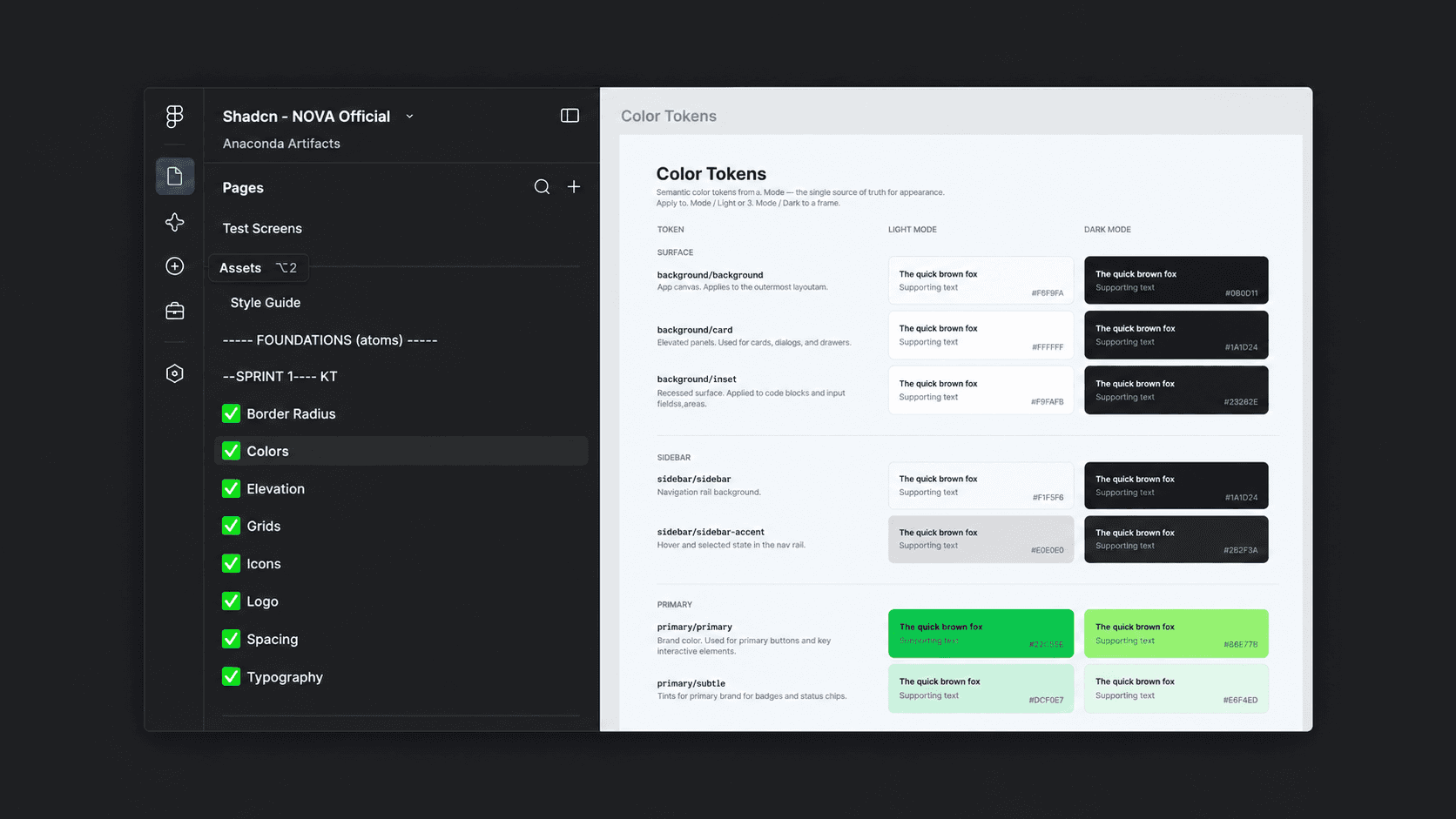
Organize into sprints: I wanted Sprint 1 to be dedicated to the foundations, or "atoms," of the our library. We needed to make sure we set up these atoms and variables correctly before moving on to the molecule components. Sprints 2-3 were based on molecules. Checkmark indicates the designer completed component and it's ready for dev.

Group related components together: Instead of just a list of components, I organized the components into groups with a parent category; this way, we could see what each component fit into.

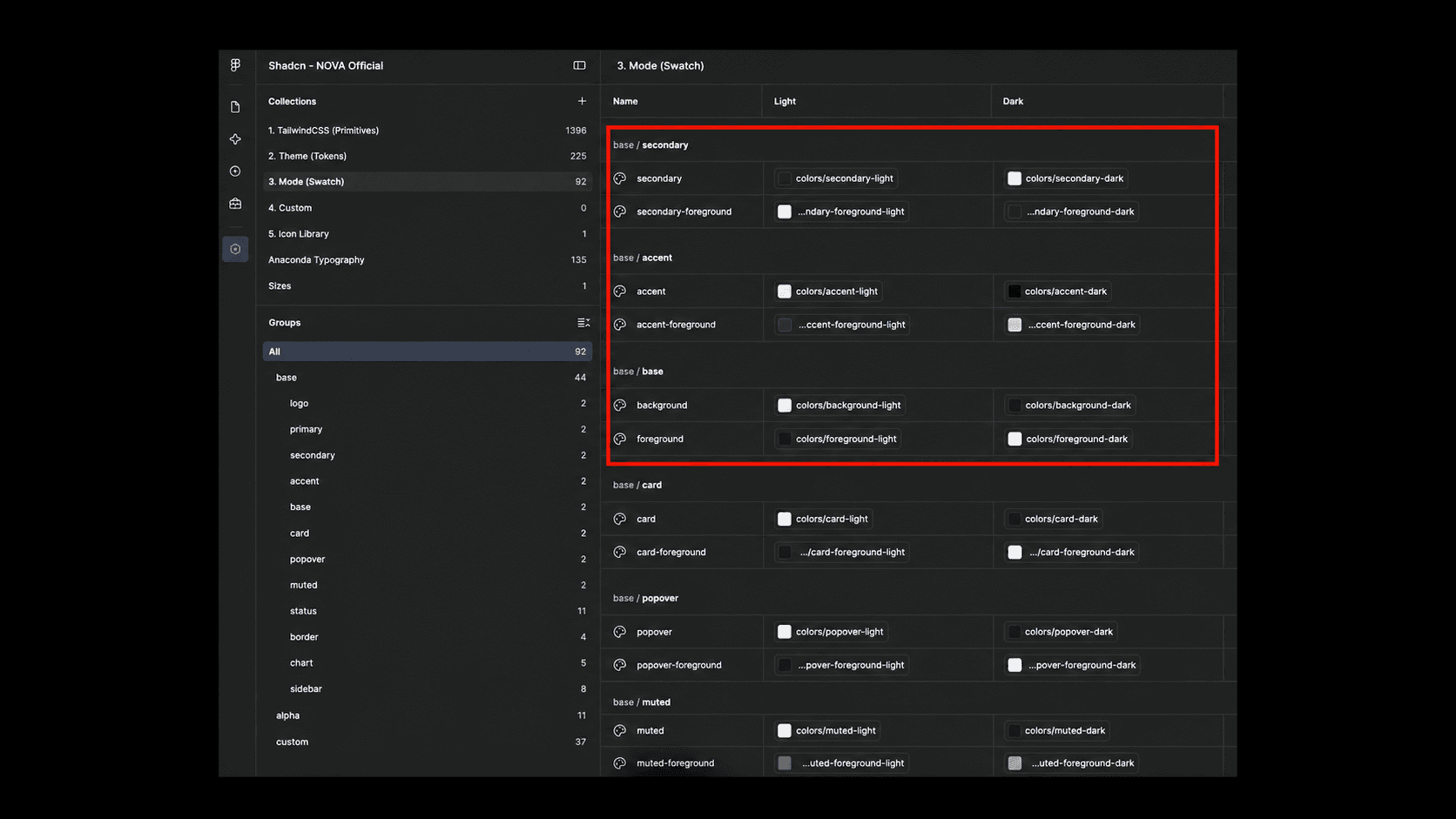
Mapping variables: As part of Sprint 1, we had to ensure our variables were set up correctly. This image shows the names of tokens we had to use in our variable collection.
b. set up jira tickets to match Sprints in Figma file

Example of Sprint 2: I made three separate sprints, one for foundations, another for the first round of molecules, and the last for the third round of molecules. I made each epic a dependency on a larger epic for the design system.
c. create acceptance criteria for each component
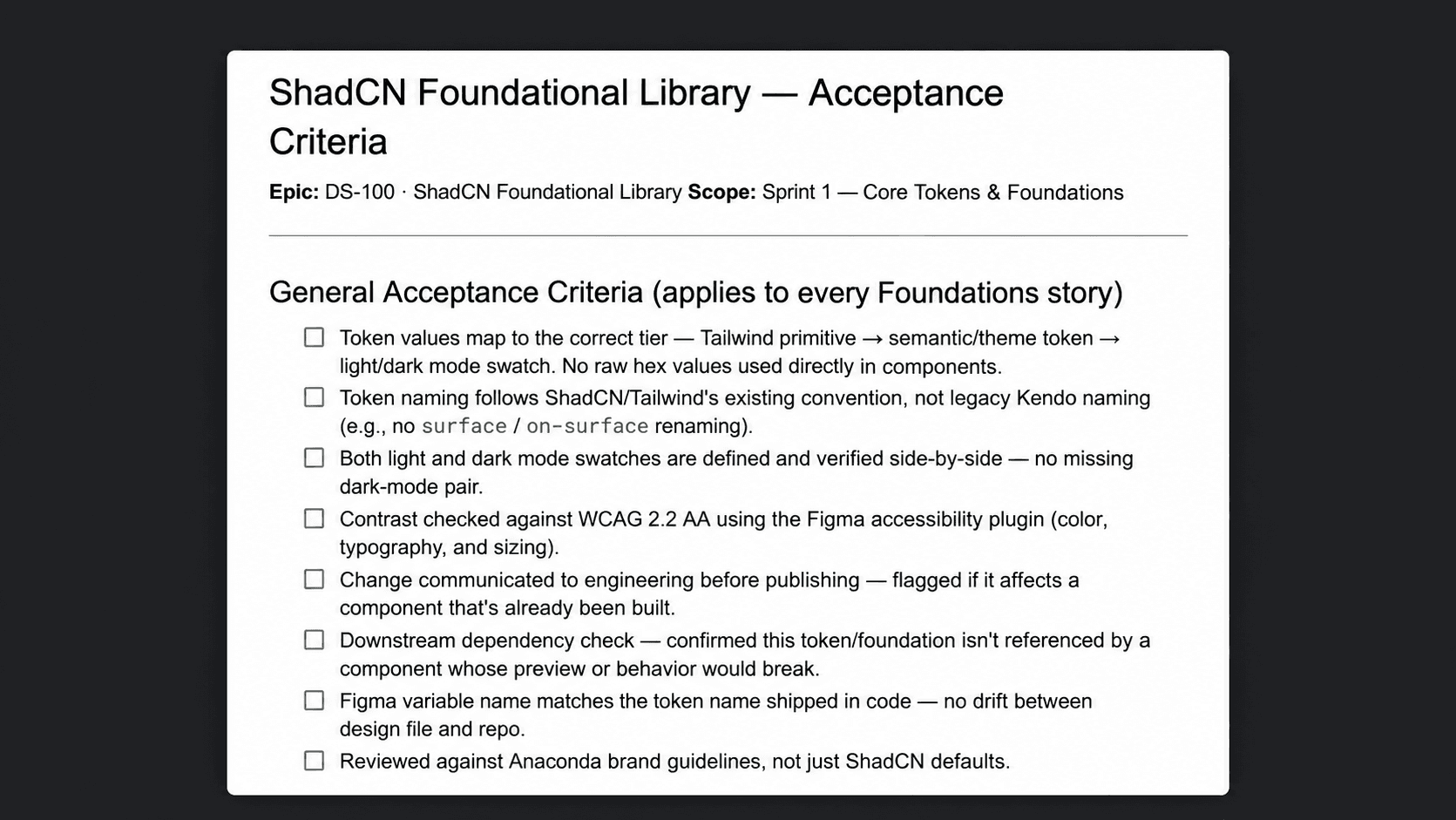
This acceptance criteria was in each Jira story, for each component. Only when the designer completed each task could they mark as "ready for dev."
pain points
03 - constraints that impeded our velocity
As the owner of the foundations library, I was responsible for choosing our methodology, organizing our Figma and Jira sprints, and managing my team's workflow.
constraint 1
Learning how Shadcn (and Svelt) differ from Kendo
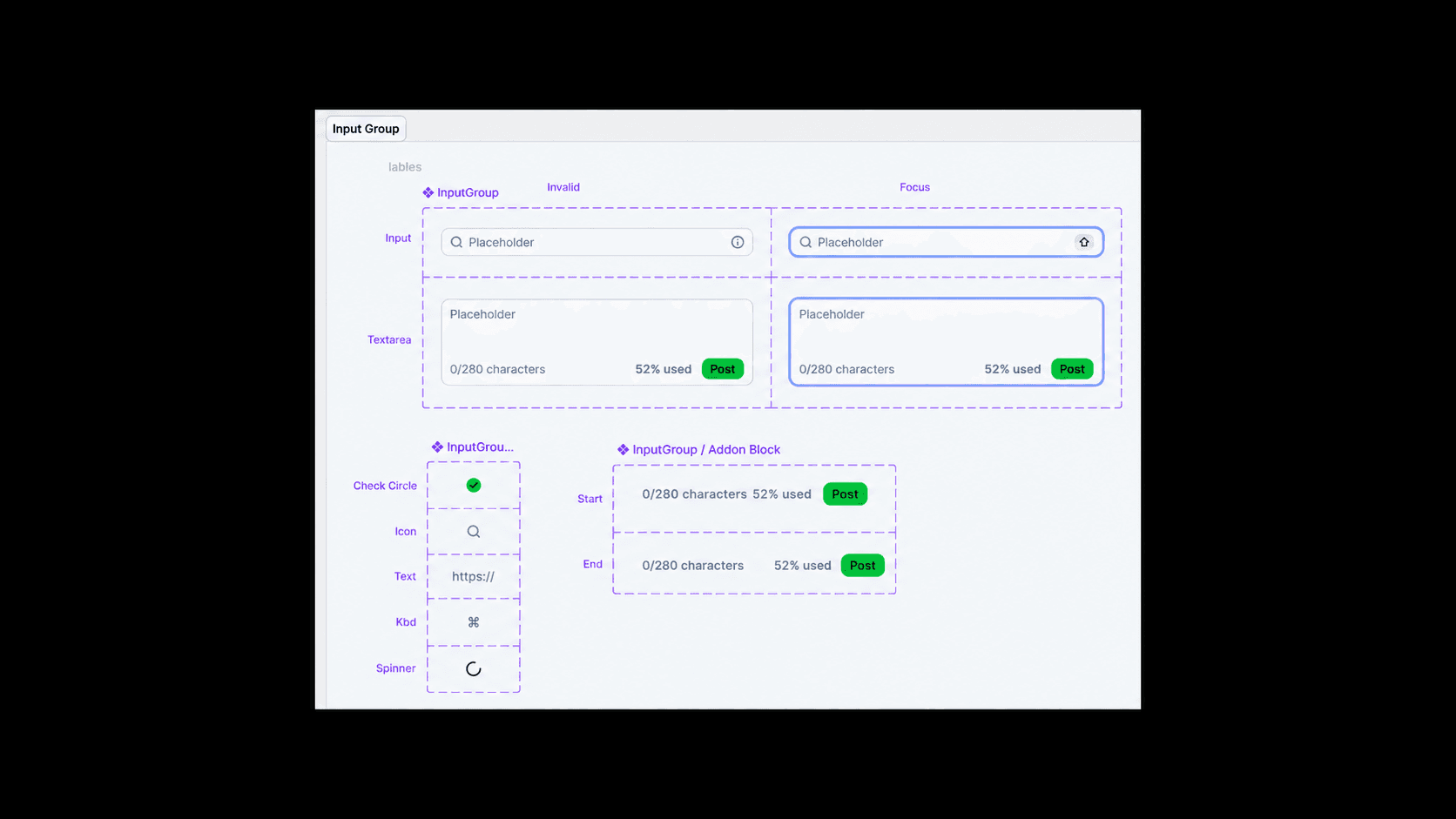
Example: input component
Atomically speaking, we'd typically create 1 component for the input and add booleans instances so that it could be an input group when needed. Shad did not set up their system like this. We tried to create 1 parent component and add booleans, but it broke the code. Had to manually change back on Figma.
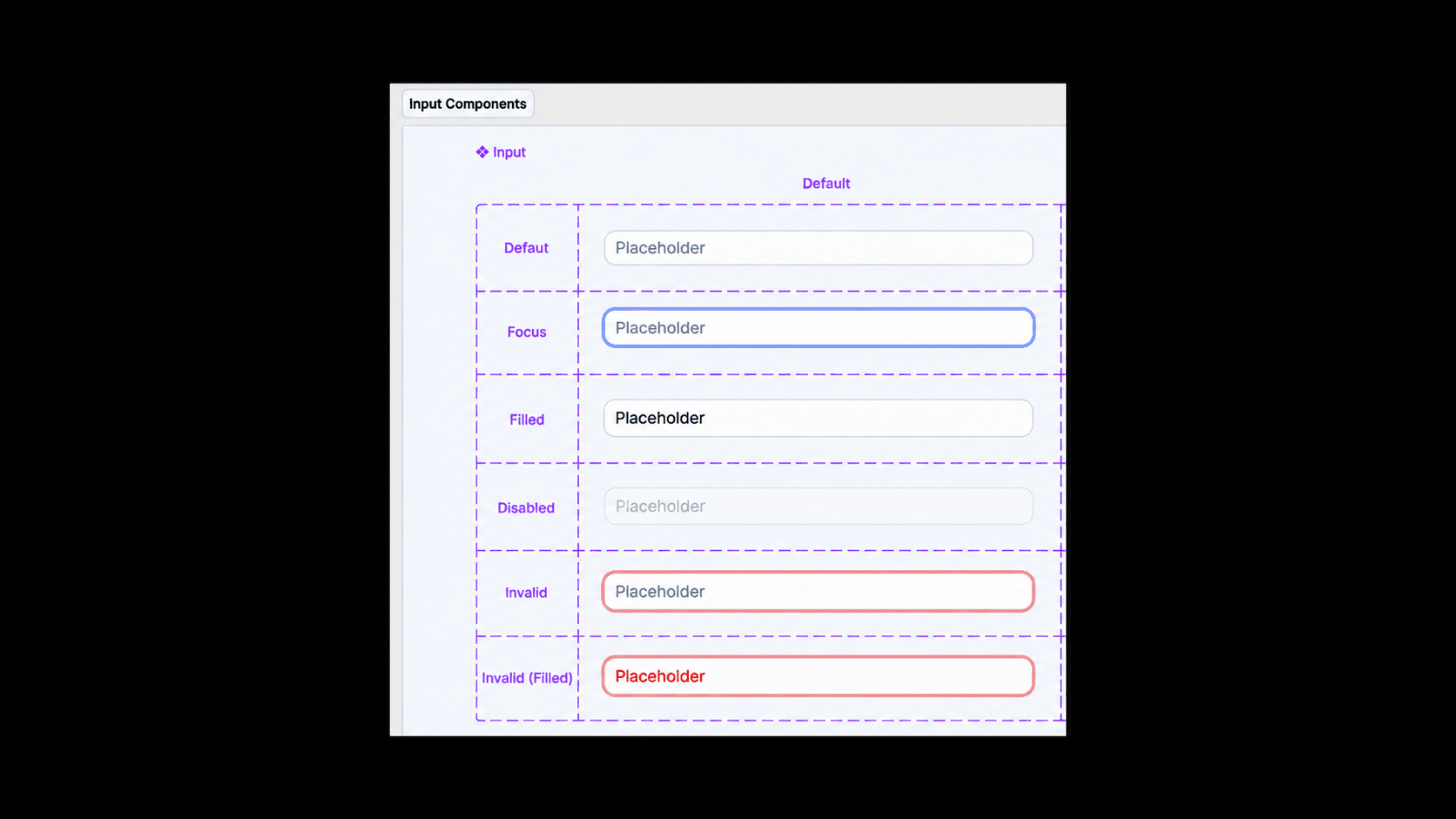
b. Example: combobox component
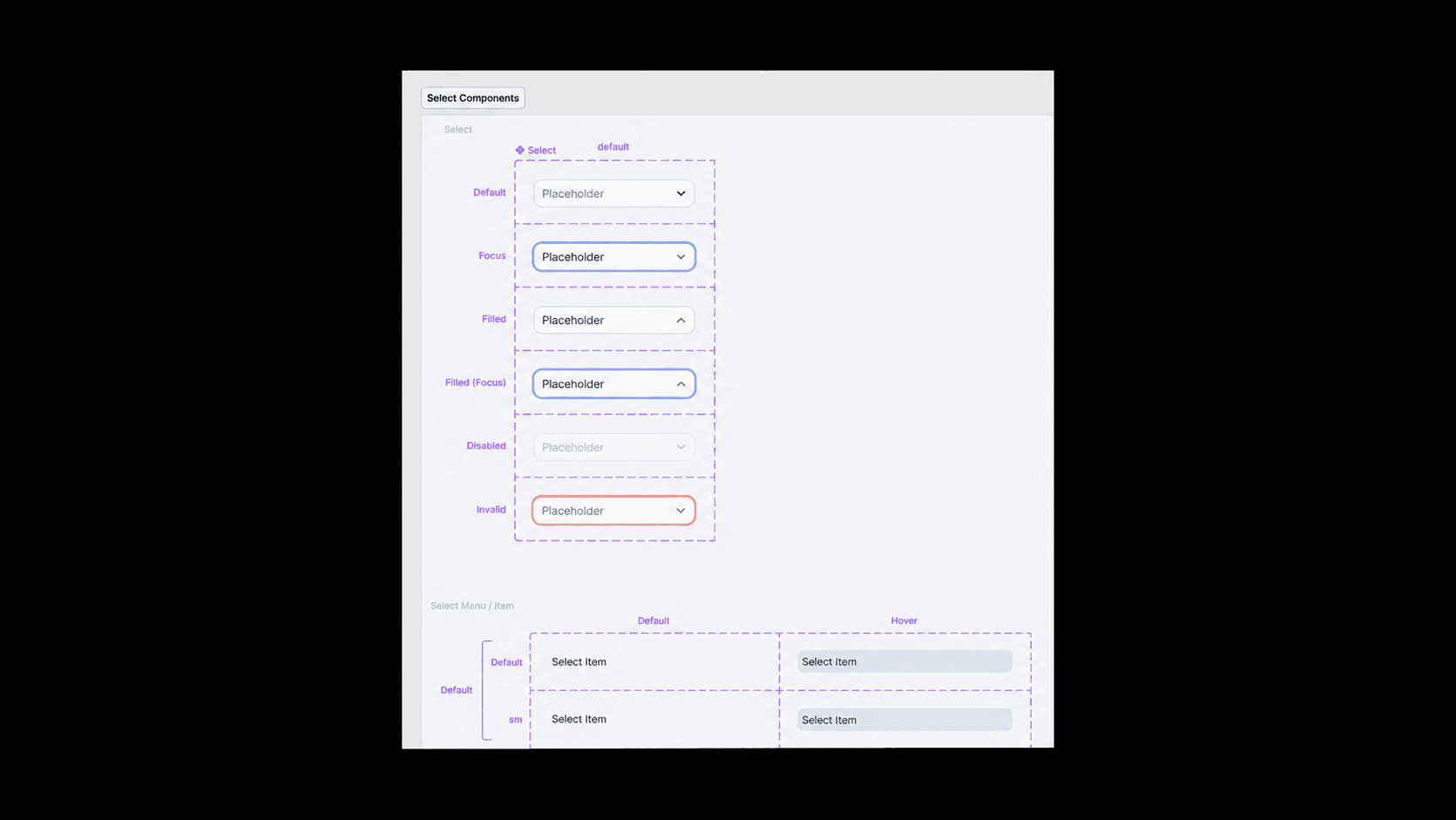
Same issue with the combobox component as with the input component.

c. Example: variable and token naming
We initially tried to rename our variable tokens like we had it in Kendo. When we did that, it broke the code, so we had to manually revert everything and re map all components back to the original token colors.

constraint 2
company acquisition chaos
too many merging identities

With three new acquisitions, we suddenly had to consider not just our Anaconda product but also the other ones - while still emphasizing that Anaconda's identity would be in the forefront. This created some tension.
b. staffing turbulence from acquisition
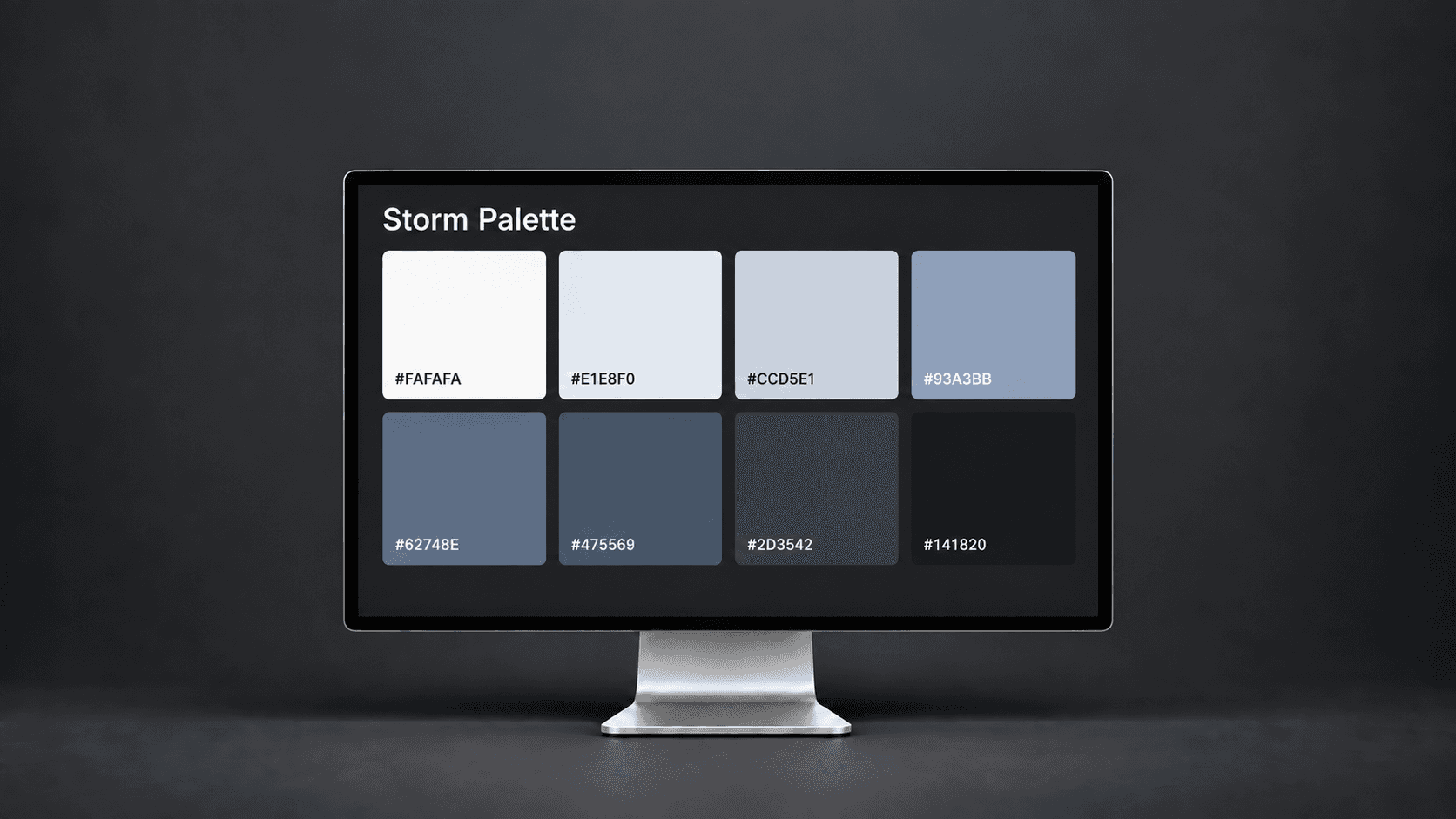
Ownership: one designer we worked with was struggling to be collaborative on a team and often tried to overtake ownership. One example was they tried to push for removing one of our brand colors without realizing the brand identity goes through an entire process.
foundation library handoff
Foundation library completed, on to the patterns
Despite some roadblocks, we were able to learn from our hiccups and still meet our foundation library development deadline.
See Pattern Library
See Pattern Library
impact
100% stakeholder approval
In the midst of the acquisitions and new team members, we underwent many hardships when deciding on librarires, styles, and set up. By the end, all stakeholders - from the designers to engineers, from company to company, from manager to CEO - approved of the foundation library.
50% success rate with Claude design integration
Once foundations shipped, two designers tested it with Claude Design via Figma MCP — generating three screens each from their own products. Results were about 50% accurate, promising but clearly limited without patterns to guide composition.
minimized engineer frustration and increased velocity
Many engineers had pain points with kendo's design system. We had our two engineers who were working on foundations test the screens the designers made - and they reported an increase in velocity with the new foundations.